
Identify it with three photos.
A front photo, the full label and the power marking help us find the right instructions. A similar shape or color is only a clue.
Show the whole device
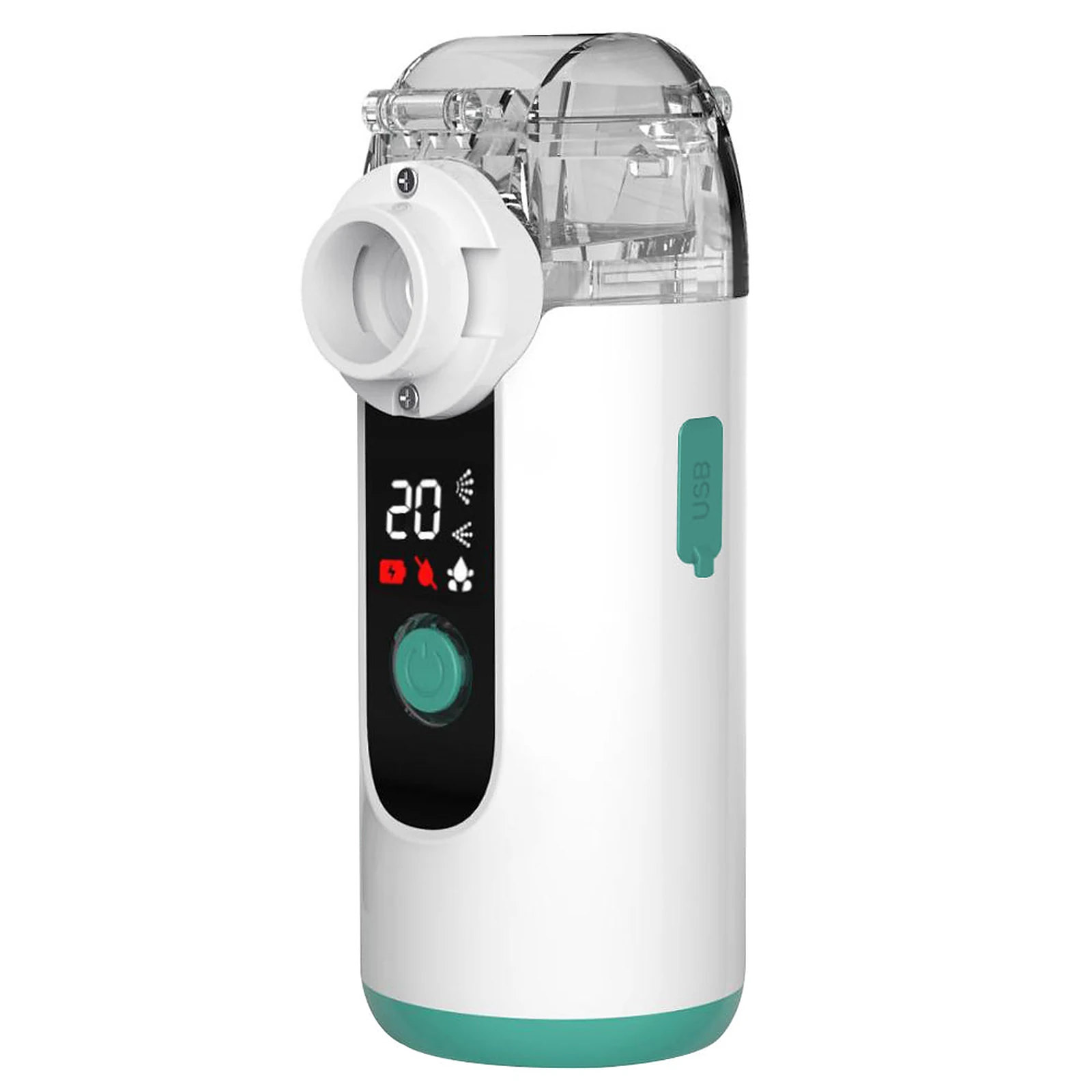
Product reference: Portable Mesh Nebulizer (MY139) Take a clear front photo that includes the cup, controls and base. Photograph your own device; the example does not confirm your model.
Keep every letter on the label
Different model codesMY-131 MY-131BExamples, not a picture of your device labelLook for the model marking on the device, its box or its original instructions. Take the entire label in one sharp photo, then copy the code exactly, including a B or any other suffix.
A shopping order number is not a model number. If the code is missing or unreadable, choose “Not sure” and describe what you can see.
Show the power marking
Photograph the power label and the visible charging port or battery compartment cover. Tell us whether your unit has a built-in rechargeable battery, uses replaceable batteries, or plugs into an outlet. “Not sure” is a useful answer.
The current rechargeable MY135 corresponds to supplier model MY-135B. Keep the full label code when requesting instructions so older versions can be checked separately. MY-131 and MY-131B still need their own exact instructions.Do not open the housing or connect a different charger just to identify the device.
Ask us to confirm the match
Send the full code and purchase channel first. Save the photos so you can reply with them when support follows up. Hide names, addresses, payment details and prescription information in any order or label photo.
For Swirler, include the product name and the “Replaceable mesh” version from your order if the manufacturer model is not visible. We can start the identification request without guessing a model code.
Help identify my device
Start with the label on the device
Look for a printed or attached label on the exterior of the unit. Check the base and rear without opening the housing. Use good light or a phone camera to enlarge small lettering.
The models in our device finder are useful starting points. If your label adds a letter, number or other suffix, include it. A shortened code, color or familiar shape is not enough to establish the exact version.
Keep these identifiers separate
Model
Copy the complete model exactly as printed, including punctuation and suffixes.
Lot or serial number
Record this separately if it appears on the label. Do not substitute it for the model code.
Order reference
Find this on the purchase record. It identifies the transaction rather than the device design.
Compare the device, box and guide
Place the three records side by side. Check whether the model text agrees and whether the pictured controls and connections match your unit. Keep both versions of any conflicting information instead of choosing the closest-looking one.
- One photo of the complete device.
- One sharp label photo, with every line visible.
- The model text on the box and the cover of the supplied guide.
If you are helping someone else
The purchaser and the person using the device may be different people. Say which role you have when asking for help; a name on a receipt does not establish who uses the device.
If the label is worn or missing, email support@mayluck.care with the photos and original retailer. Explain what you can read without guessing the missing characters.
Keep the complete label when choosing a support entry
Use the verified model directory below to find the support entry for your device. The current rechargeable MY135 corresponds to supplier model MY-135B, but keep MY135B / MY-135B exactly as printed in a support request so the version can be checked. MY-131 and MY-131B are separate models; do not drop a suffix or match a device by appearance alone.
Swirler Portable Nebulizer is a product name, and “Replaceable mesh” is its variant description. Neither Swirler nor the seller SKU nebulizer-1 is a manufacturer model code. Keep any complete code printed on the physical label when requesting help.
Keep the useful links
Your model’s support, easy to find.
Get your model’s support page and Mayluck contact details by email. No account needed.