Replacement accessories
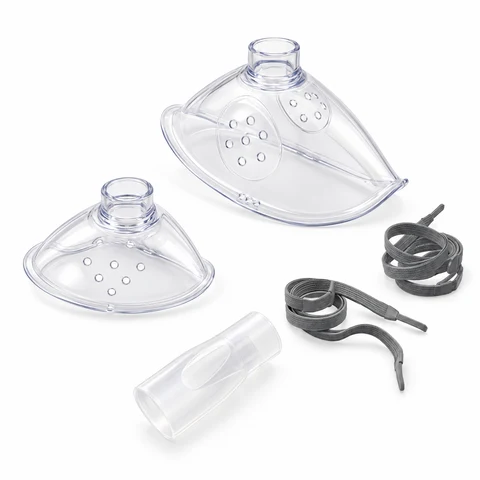
Mayluck mask & mouthpiece set
1 adult mask + 1 child mask + 1 mouthpiece. Compatible with all Mayluck nebulizer models.
Accessory-only orders start at 2 sets. When ordering with a nebulizer, you can add 1 set through the device page or shopping bag. Each set contains 1 adult-size mask, 1 child-size mask and 1 mouthpiece; no nebulizer, medicine cup, mesh head or medication. Confirm current price and shipping in the store.
View the accessory set in the Mayluck storeCurrent price, availability and shipping are shown in the store. No support form is needed to view this set.Buying a new portable device as well? All nine portable model links open a device + 1 extra set package. The standalone set above contains one adult mask, one child mask and one mouthpiece. Compare the package contents
Which part do you need?
Mayluck replacement masks and mouthpieces fit all Mayluck models. Use these examples to name the item and mask size you need; follow the separate guidance below for other components.
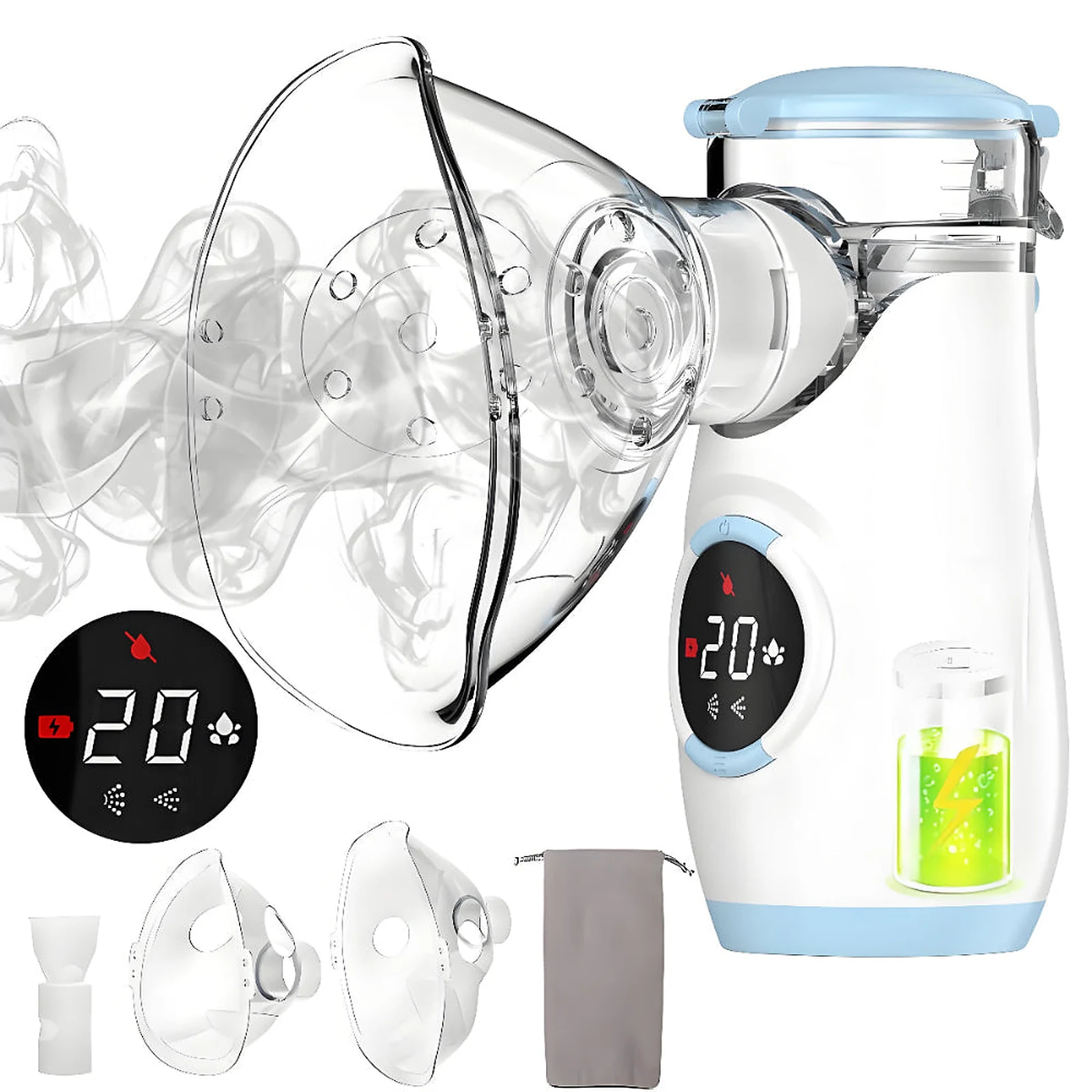
Mayluck mask reference; adult and child sizes. Mask
Mayluck replacement masks fit all Mayluck nebulizer models. Tell us the adult or child size and quantity you need. A photo or size marking can help if you are unsure which size you have.
Mayluck mouthpiece reference; compatible across Mayluck models. Mouthpiece
Mayluck replacement mouthpieces fit all Mayluck nebulizer models. Ask for a mouthpiece and the quantity you need. Include a photo if you need help identifying the item or describing damage.
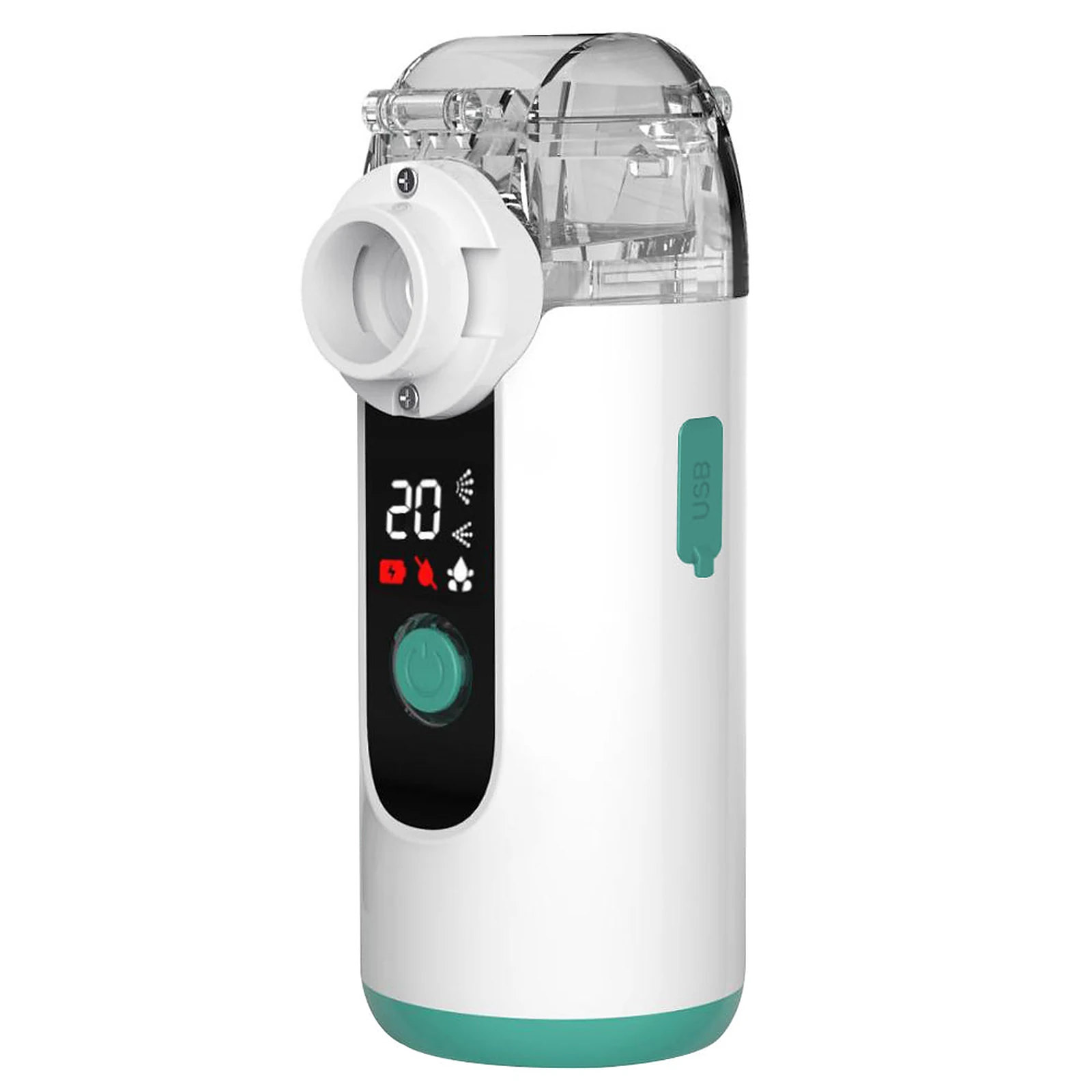
MY139 example; match your own part and model before ordering. Medicine cup
Photograph the complete cup, lid and the point where it connects to your device. Include the cup’s part number if present. A matching color or stated volume does not establish compatibility.
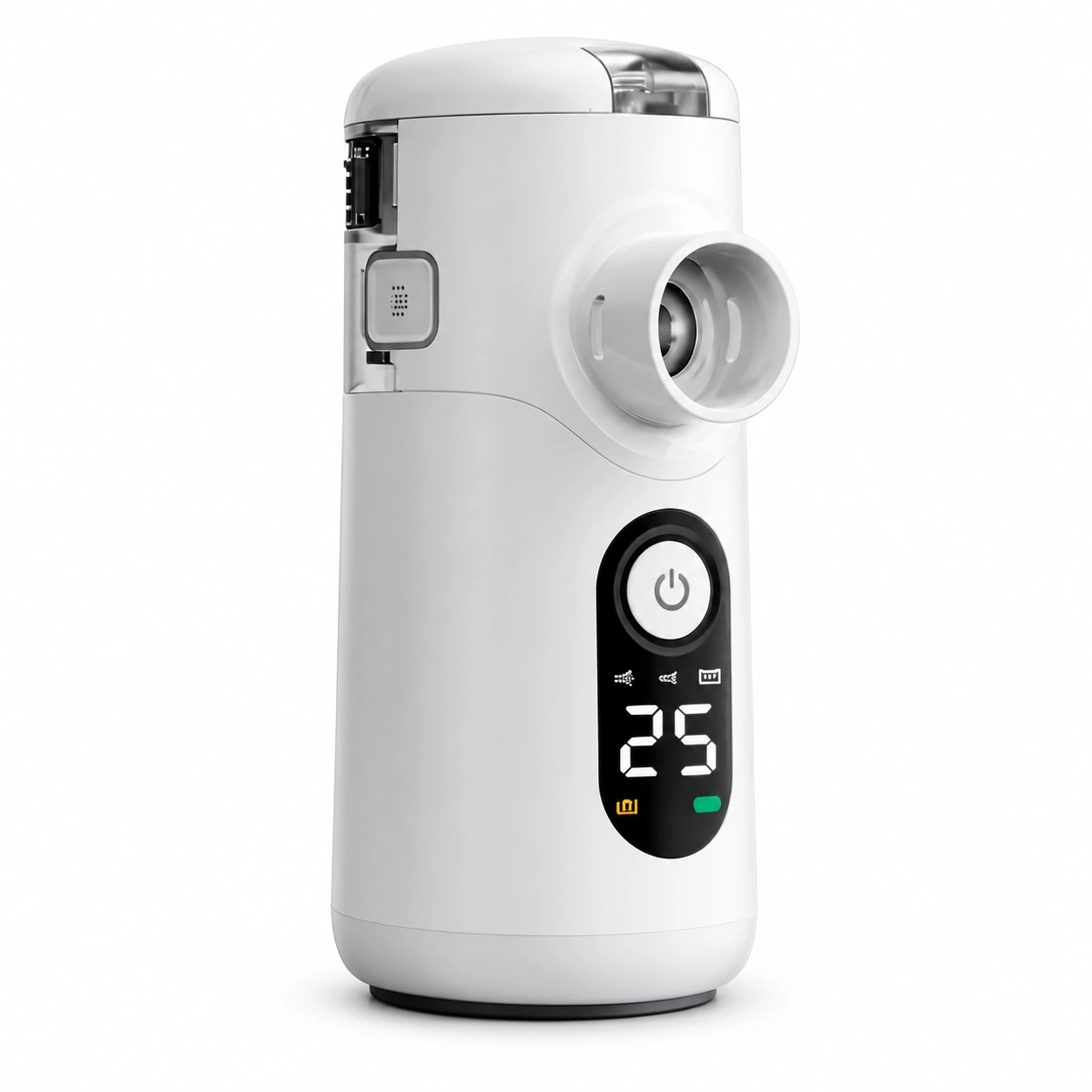
Swirler device reference. The separate module is not shown. Mesh module
If your instructions identify a replaceable mesh module, share the exact version and part number. Photograph it only as your instructions allow. Do not take apart a sealed cup or touch the mesh to get a photo.
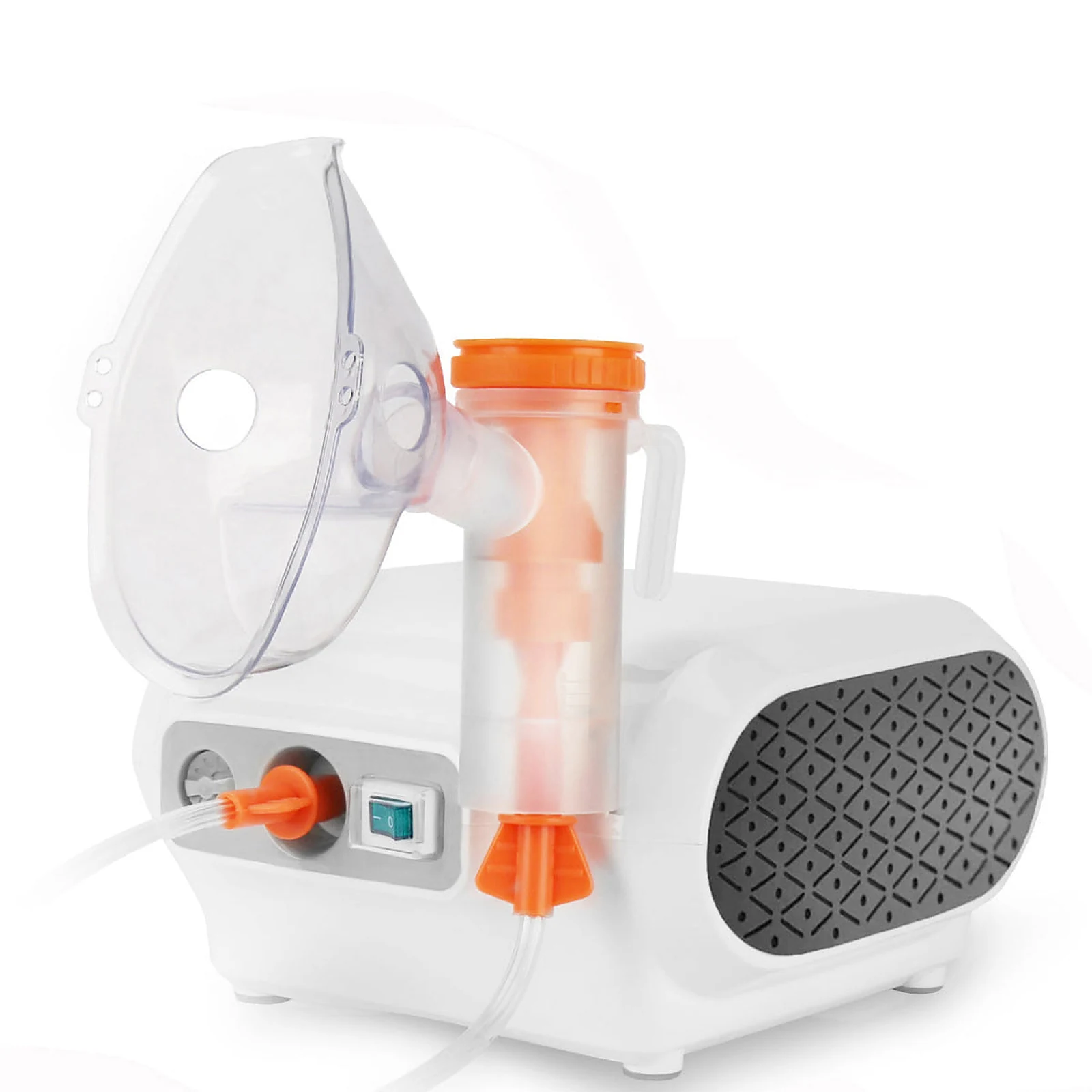
CN69 reference with tubing. This is not a universal parts set. Air tubing
For a compressor device, show the complete tube and both end connectors. Add the full device model and any code on the tubing package.
Choose the adult or child mask size for the person using it. Compatibility with a Mayluck device does not by itself establish an appropriate fit or choice of interface; ask the treating healthcare professional if unsure.
For a mask or mouthpiece, name the item, mask size and quantity. If the item is unclear or damaged, you can send photos when replying to support. For another component, prepare the device label and the part photos described above. The form starts an enquiry, not an order.
Request help identifying this partWhen should you replace nebulizer accessories?
There is no single replacement interval for every mask, mouthpiece, medicine cup or mesh component. Follow the instructions for your exact device and accessory. We have not published a verified Mayluck-wide replacement schedule; a schedule for another brand is not a Mayluck instruction.
Check before each use. Stop using an affected part if it is cracked, deformed, leaking, no longer fits securely, or has contamination that cannot be removed using its permitted care method. Ask for help if you are unsure which part needs replacing.
Why cleaning and replacement both matter
Inadequate cleaning and drying can allow bacteria to grow and increase the risk of lung infection. Worn or damaged components may also affect fit, airflow or nebulizer performance. Passing a particular date does not by itself prove contamination, and reduced mist does not by itself prove a worn-out cup.
Cleaning cannot repair damaged parts, and buying new parts does not replace routine care. Follow the permitted cleaning, disinfection, drying and storage instructions for each component. Do not assume masks, tubing or mesh components can be boiled, soaked in alcohol or cleaned in the same way.
Choose the next step for the part you need
Need the complete mask and mouthpiece set? View the standalone set in the Mayluck store; you do not need to buy another nebulizer or submit a support form first. For a medicine cup, mesh component, tubing, filter or individual item, request help identifying the part before ordering. Cup availability, including CN69 cup availability, must be confirmed.
Accessory-only orders start at 2 sets. When ordering with a nebulizer, you can add 1 set through the device page or shopping bag. Each set contains 1 adult-size mask, 1 child-size mask and 1 mouthpiece; no nebulizer, medicine cup, mesh head or medication. Confirm current price and shipping in the store.
Name the component you need
Mayluck masks and mouthpieces fit all Mayluck nebulizer models. Masks come in adult and child sizes. These size names do not determine suitability for a person; ask their healthcare professional about the interface and fit.
Use the component name in the supplied guide: for example, medicine cup, lid, mask or mouthpiece. If you do not know its name, describe where it attaches and what it connects to.
Separate a missing part from a damaged part or a performance problem. A no-mist issue does not by itself establish that the cup, mesh or whole device needs replacing.
For an individual-part or identification enquiry
Device identity
Copy the complete model, any suffix and any lot or serial number printed on the label.
Part identity
Record any marking or part number and photograph the whole part plus its connection. Do not dismantle beyond what the guide permits.
Purchase and destination
Include the original retailer, purchase reference if available, and destination country for a supply enquiry.
Confirm the offer before buying
The Mayluck store sells a mask and mouthpiece set containing one adult-size mask, one child-size mask and one mouthpiece. Open the set page to review the current offer and order. If you need an individual item, ask support about that request. Other replacement parts still need their exact compatible part number and model or version checked.
If you are also buying a new portable device, all nine portable model links open “1 device + 1 extra set”. The two-device package remains a separate choice. Each extra set contains one adult mask, one child mask and one mouthpiece, with no extra cable. The device plus one extra set totals two adult masks, two child masks, two mouthpieces and one USB-A to USB-C cable. The device itself comes with one of each accessory and one cable; the additional sets belong to the store package, not the standard device contents. Use the buying-again link below to review your model and package.
For other replacement parts, a photograph, familiar color or seller description such as “universal” is not enough to establish compatibility. This article does not confirm stock for those other parts.
Request the part separately from a whole device
Use the parts enquiry form for an individual accessory request or help identifying another component. Include the full model if known, the item you need and your destination country. Prepare connection and label photos if you need identification help; after receiving a request reference, send them by email with that reference.
You can order the complete mask and mouthpiece set through the Store link below without first submitting a support request. Other replacement parts still require model-specific compatibility confirmation. The store handles the order, current price and payment. A whole-nebulizer product page is not a replacement cup or mask listing.
Check a received part before fitting it
Compare its name, identifying marks and contents with the confirmed order. Keep the packaging and confirmation until you have checked the match.
If the connection or markings differ, stop before forcing a fit. Email support@mayluck.care with the device label, replacement label and the order details you received.
A mask, mouthpiece, cup and mesh are different requests
Use the part name and a clear photo together. If you want a mouthpiece, say mouthpiece rather than mask; if you need a mesh component, do not assume the complete medicine cup is the same item.
| Part | What to identify | Useful detail for the request |
|---|---|---|
| Mask | Mayluck mask — adult or child size | Requested size, quantity and any identifying marks |
| Mouthpiece | Mayluck mouthpiece | Ask specifically for a mouthpiece and state the quantity |
| Medicine cup and lid | The liquid container and its attachment | Cup markings, lid and externally visible connection |
| Mesh component | The exact component named in your guide | Whether the guide permits user replacement and its part number |
Can I get a part without buying another nebulizer?
You can buy the mask and mouthpiece set without buying another nebulizer. For an individual item or another part, use the enquiry form and tell us the full model, item needed, quantity and destination country so the request can be reviewed.
If you purchased on TikTok Shop or Amazon, you can still use the Store link above for the mask and mouthpiece set or ask here about another part. For other items, wait for a confirmed part and purchase link; do not order a complete device thinking it is a cup or mask replacement.
How long does a part last, and should I keep a spare?
Use any replacement interval or condition stated for that exact component in your matching instructions. There is no verified shared lifespan in this help center for every cup, mouthpiece, mask or mesh component.
If you are planning ahead, ask whether the specified part can be obtained separately and what storage or preparation instructions accompany it. A change in mist does not, by itself, prove that a part has reached the end of its service life.
Sources & further reading
MedlinePlus · General nebulizer educationAmerican Lung Association · Using and caring for a nebulizerGeneral education supports this article. Follow the instructions supplied with your exact device for operation and care.
Parts & accessories
Need a part for your Mayluck?
Need help identifying a part, asking for an individual item or reporting a problem? Tell us what you need; our team will follow up by email.